Collections, specialisations and the wider world
Field guide
Collect Things, make Melds and build a miner with a life of your own.
Start with Melds. Turn collections into lasting progress, then choose a specialisation for the work you enjoy. Learn how to make a Meld · Compare specialisations · Choose a mining project.
How the world works
Operations handbook
The large systems which connect cities, possessions, industry, and danger.
Spoiler policy. This guide explains controls, choices, and visible rules. It does not publish hidden rolls, encounter tables, unrevealed rewards, secret event chains, or Things your miner has not recorded.
Long-term progression
Melds: collections that grow your miner
A Meld consumes the Things in a recipe and records a permanent achievement for your miner. The world has 670 public Melds. Build your total to unlock specialisations, increase your flight allowance and improve eligible vehicles. Start with Common Starter collections, then follow the mines, trades and journeys you enjoy.
- Make your first Meld
- Bring spare Common Starter items to Hearthwick. Open Your Things and choose Meld on a needed recipe item. Each press moves a copy into shared Meld storage, which takes no ordinary inventory space. When its recipe is complete, the game consumes the ingredients and creates the Meld automatically. Keep copies you want to use, wear or sell before staging them.
- Find recipes and missing pieces
- Open Melds to see owned, broken and started collections. Choose Continue meld to read a started recipe and follow the item links for missing pieces. Item pages also link their Meld recipes. An empty Melds list means you have not started a collection yet; use Your Things to begin.
- Finish deliberately
- Gather the exact items and quantities in the recipe. Staged pieces can contribute to several partial recipes until a completed Meld consumes them. Each completion needs its own copies. In a permitted capital, the recipe page’s Create button also combines shared Meld storage with loose Things in that capital.
- Melds
- Dempo, Ember Strait, Ebeko, Fogo and Lantern Reach forbid Meld creation on religious grounds, including automation. Gallego and Glass Shoals permit it. Existing Melds keep their bonuses everywhere. Create Melds in a regional capital that permits melding when you hold the required Things. Completed Melds are global, permanent, and do not consume inventory capacity afterwards.
- Specialisations
- Your Meld total unlocks 28 roles over time. Open Specialisation to compare requirements and choose a bonus for your work. Switching preserves the time already earned in every specialisation. Meldwright requires every current public Meld.
- Benefits beyond roles
- Each 10 Melds adds a flight slot. On Uncommon and rarer transports, each Meld adds 0.5 land armour or 0.2% ship hull. Inspect the Fleet preview before departure to see your transport’s actual protection.
- Battery
- Every time you log in, you receive a fresh 28-day battery for free. It powers mining, specialisation bonuses and progress towards your specialisation title. The timer runs while you are offline too.
- When empty
- Mining, specialisation bonuses and title progress pause. Log in again for another 28 days. Your earned progress is kept; time spent with an empty battery does not produce missed finds.
- Choose a collection
- Try Starter, Fish, avatar or Diamond Ring recipes, or collect living and spectral trophies from victories. The collection guide below explains their sources; your item and recipe pages show the exact ingredients.
28 roles to grow into
Choosing a specialisation
Open Specialisation, compare the Meld requirement and effect, then choose one role for the work you want to do. Keep building collections to unlock more choices; each role keeps its own earned title progress when you switch.
- Bonuses and titles
- The comparison below shows each role’s starting effects. Every title level adds 1 percentage point to each of its active bonuses. Charged time in your chosen role earns title progress; your free login battery powers both progress and the effects.
- Cold-water fishing
- Ice Fisherman combines more fishing opportunities everywhere with an extra multiplier in Dempo waters: local sea routes and the Dempo half of sea approaches. It changes opportunity frequency, not fish rarity. Load matching-rarity Bait and leave hold space. Inspect Dempo waters
- Recovery at sea
- Salvager combines fishing opportunities with a wider sea salvage search. Commodore combines that search reach with loaded sea speed and naval defence under Patrol orders. Recovery still requires the same route, nearby wreckage, matching-rarity Bait and cargo room.
- Workshops and supplies
- Quartermaster helps loaded road and sea deliveries plus factory work. Prospector combines mine Gold, loaded road speed and aircraft speed. Industrialist combines mine Gold, factory work and Oil Field machine lifetime. Expedition Leader combines loaded road and sea speed, aircraft speed and fishing opportunities.
- Mill work
- Shipwright combines loaded sea speed, factory throughput and an extra mill multiplier. Mills use both work multipliers; ordinary factories use the factory multiplier. Supply materials and workers before expecting faster production. Inspect mill work
- When effects apply
- Loaded-road and loaded-sea bonuses require cargo. Pillage and Patrol bonuses require the matching orders. Journeys keep the role and title recorded at departure; choosing another role affects later departures. Mill work keeps already-earned progress when you switch.
Compare all 28 specialisations
- Bum
- Available from the start. Starting effects: +8% Gold from mining.
- Trader
- Available from the start. Starting effects: +8% loaded road speed.
- Merchant
- 10 Melds required. Starting effects: +8% loaded sea speed.
- Mechanic
- 10 Melds required. Starting effects: +8% Oil Field machine lifetime.
- Guard
- 20 Melds required. Starting effects: +8% land defence under Patrol orders.
- Bounty Hunter
- 20 Melds required. Starting effects: +8% sea defence under Patrol orders.
- Highwayman
- 30 Melds required. Starting effects: +8% land attack under Pillage orders.
- Pirate
- 30 Melds required. Starting effects: +8% sea attack under Pillage orders.
- Fisherman
- 40 Melds required. Starting effects: +8% fishing chances.
- Pilot
- 40 Melds required. Starting effects: +8% aircraft speed; +8% Oil Field machine lifetime.
- Manufacturer
- 50 Melds required. Starting effects: +8% factory work speed.
- Pit Boss
- 60 Melds required. Starting effects: +8% factory work speed; +8% Gold from mining.
- Caravaneer
- 75 Melds required. Starting effects: +8% loaded road speed; +8% loaded sea speed.
- Marshal
- 90 Melds required. Starting effects: +8% land defence under Patrol orders; +8% sea defence under Patrol orders.
- Marauder
- 110 Melds required. Starting effects: +8% land attack under Pillage orders; +8% sea attack under Pillage orders.
- Harpooner
- 130 Melds required. Starting effects: +8% fishing chances; +8% loaded sea speed.
- Foreman
- 155 Melds required. Starting effects: +8% factory work speed; +8% Oil Field machine lifetime.
- Storm Pilot
- 180 Melds required. Starting effects: +8% aircraft speed; +8% Oil Field machine lifetime.
- Wayfinder
- 200 Melds required. Starting effects: +8% aircraft speed; +8% loaded road speed; +8% loaded sea speed.
- Ice Fisherman
- 225 Melds required. Starting effects: +8% extra fishing opportunities in Dempo waters; +8% fishing chances.
- Salvager
- 260 Melds required. Starting effects: +8% fishing chances; +8% sea salvage search distance.
- Quartermaster
- 300 Melds required. Starting effects: +8% factory work speed; +8% loaded road speed; +8% loaded sea speed.
- Prospector
- 340 Melds required. Starting effects: +8% aircraft speed; +8% loaded road speed; +8% Gold from mining.
- Industrialist
- 380 Melds required. Starting effects: +8% factory work speed; +8% Gold from mining; +8% Oil Field machine lifetime.
- Expedition Leader
- 420 Melds required. Starting effects: +8% aircraft speed; +8% fishing chances; +8% loaded road speed; +8% loaded sea speed.
- Shipwright
- 460 Melds required. Starting effects: +8% factory work speed; +8% loaded sea speed; +8% extra mill work speed.
- Commodore
- 500 Melds required. Starting effects: +8% loaded sea speed; +8% sea defence under Patrol orders; +8% sea salvage search distance.
- Meldwright
- 670 Melds required. Starting effects: +8% aircraft speed; +8% extra fishing opportunities in Dempo waters; +8% factory work speed; +8% fishing chances; +8% land defence under Patrol orders; +8% land attack under Pillage orders; +8% loaded road speed; +8% loaded sea speed; +8% extra mill work speed; +8% Gold from mining; +8% Oil Field machine lifetime; +8% sea defence under Patrol orders; +8% sea attack under Pillage orders; +8% sea salvage search distance; +8% Workerbot work speed.
Mining, fishing, outfits and trophies
More collections to turn into Melds
Choose a collection you enjoy, read its recipe and gather the exact ingredients. Each completed public recipe advances the same Meld total, whether its pieces come from a mine, a trade or a victorious journey.
- Diamond Rings
- Sootbank’s Diamonds mine produces five colours in six qualities. The 20 Ring Melds each consume five specified stones. Read the recipe’s colours and qualities before buying a missing piece. Find Sootbank
- Avatar collections
- 37 avatar Melds use ordinary models, outfit pieces and backgrounds. Save what you want to wear or display, then stage spare recipe pieces in a capital that permits melding. Review your avatar
- Regional fish
- Morrowfen adds 30 fish and ten Fish Melds, including collections at Common and Uncommon. Dempo adds 15 fish from Exceptional to Legendary and seven special Fish Melds. Regional catches use local sea routes and that region’s half of sea approaches; load matching-rarity Bait. Read the regional fishing rules
- Living trophies
- Each genuine living-creature defeat gives the final victor a 50% chance of its species trophy at the creature’s rarity. Normal, Elite and Elitest share that chance. The 38 Creature Trophy Melds each require the five trophies shown in their recipe.
- Spectral trophies
- Creature ghosts and wraiths give the victor a 50% chance of the spectral counterpart at the apparition’s rarity. The 38 Spectral Trophy Melds use spectral ingredients. Vehicle-origin ghosts have no creature trophy. Read current sightings
- After a victory
- Ordinary bounty loads first, then a trophy if room remains. Overflow stays at the encounter location for route salvage. Unload the required trophies in a capital that permits melding, then use their Meld buttons in Your Things. Failed or unfinished fights award no trophy.
The work that continues
Mining and mine management
Mines work to their own schedules and can catch up for a limited period while you are away. Choose what each mine should pursue, then improve it with suitable robots, equipment, and attention.
- Discover mining cities
- You must discover a city before you can mine there. Reach it in your own transport or on an available passenger ride, then inspect its mine shop and rental costs. Mossbank offers Bugs mines and Gullstrand offers Music mines.
- Priorities
- Most mines can pursue Things or their supported Gold or Ore output. Brasswater mines fill local amphora instead. Changing mode affects future work; it does not rewrite findings already produced.
- Active mines
- Each discovered region supports a limited number of active mines. Mine priorities and certain machinery can alter how that allowance is used.
- Loadouts
- Robots and equipment occupy defined slots and affect automatic production. Explosives are manual and can still be detonated in a local mine while its robot is on standby or off duty.
- Rental resale
- Sell a local rental from its mine card or Miner settings for half its remaining-time value in Credits, rounded down, or list an individual rental through the local item market for cryptocurrency only. Equipment returns locally and the remaining rental time pauses. Buying or cancelling resumes the clock immediately. New-listing price bands update at midnight UTC; existing offers keep their coin price. Listed rentals still occupy account slots.
- Encounters
- Some mine encounters yield additional Ore. The amount rises with the danger and rarity involved; the hidden encounter table remains something to learn in play.
Choose what to produce
Regional mines and new projects
Explore a regional map, discover the town and inspect its Mine shop before renting. Rental prices and available mine types appear there. Your active mine allowance still applies; regional opening and ordinary travel requirements govern access.
- Brasswater
- Rivetbridge supplies road Countermeasures. Kilnstead supplies Clay and a public kiln. Lockmarket’s Brasswater mine fills local amphora. Sootbank supplies Diamonds for Ring Melds. Choose a single project or connect pottery, water and deliveries into a business. Inspect Brasswater’s towns
- Morrowfen
- Reedhaven supplies Naval Countermeasures for ship journeys. Morrowfen waters also add regional fish to ordinary catches. Carry matching-rarity Bait when you want to work on its Fish Melds. Inspect Morrowfen’s towns
- Hekla
- Anchorage’s Scrapyard mine produces damaged goods. Inspect repair options and costs before renting it for a repair-and-resale project. The Switchyard offers repair work. Inspect Hekla’s towns
- Ebeko
- Electronic Devices supply electronics Melds and permanent Tech robot recipes. Inspect the materials for a Frostmere Tech factory project before selling a useful component. Inspect Ebeko’s towns
- Modes and supplies
- Ordinary mines offer Things or their supported resource output. The Brasswater mine always fills amphora and waits for a vessel with room. Clay finds provide quantities of clay that rise with rarity. Creature and Spectral Trophies come from victories; their collection categories have no rental mines.
Make a useful supply chain
Clay, amphora and Brasswater trade
Use Kilnstead Clay to make vessels, fill them at Lockmarket, then deliver water to an available buyer. Each stage needs its materials in the correct town.
- Make the vessel
- Open Kiln in Kilnstead and queue an amphora using 100 units of mixed Clay. Each job takes 24 hours: 16 drying, 6 firing and 2 cooling. Jobs run in order. Find Kilnstead and Lockmarket
- Fill at Lockmarket
- Keep an empty or partly filled Brasswater amphora in loose local Things. A standard Brasswater mine fills 50 units in 24 hours; ordinary mining improvements increase the flow. It tops up partly filled vessels before empty ones and waits when none have room.
- Use a container
- An amphora holds up to 50 units of one supported liquid: Oil, one Grog item or Brasswater. A filled vessel uses one slot. Unpacking returns the reusable vessel; packing does not mix different liquids. Read about the Amphora
- Sell to the Council
- The High Council pays 300g for a full 50-unit Brasswater amphora, including its vessel. Each eligible capital buys up to 30 per 6-hour round across all miners. Check Wanted in its market, deliver the cargo and use Sell now against an available bid. Arrival alone does not sell it. Check market demand
- Find a buying capital
- Hearthwick, Stormcrag and Council Head qualify through neighbouring freight roads. The Council posts demand only while both regions and their connecting road permit travel. Read current bids before departure; another miner can fill them first. Partial amphora and other liquids do not qualify.
Regional operations
Home cities
Every discovered region has one fixed regional capital shared by every miner. That capital is one of your home cities: the place where the region gathers its expensive, social, and industrial work.
- Capital work
- Create Melds where local customs allow it, build factories, hire Worker bots, and activate locally stored gadgets. Mills join the list from Calbuco onward.
- Your dwelling
- Open Your home in a regional capital and choose a room on the house plan. Find belongings in the Storeroom, display Things in the Gallery, follow vehicles at the Fleet desk, explore your world in the Atlas room, check factories, workers and resources at the Manufacturing Desk, or rest in the Living quarters. Improve rooms with Gold; each upgrade applies to all your homes. Displays stay in their own city and still count toward storage.
- Outposts
- Other cities keep independent mines, inventories, markets, routes, and prices; they are not interchangeable storage locations. Your Things shows only the region you are currently visiting.
A connected world
Regions, routes, and weather
Cities belong to distinct regions connected by local roads, sea lanes, air routes, and long-distance gateways. Position, route state, and changing weather all matter to movement and trade.
- Discovery
- Maps show every region and city. Travelling unlocks city access for your miner. Inventories, prices, mines, and opportunities remain tied to their actual locations.
- Gateways
- Regional capitals anchor the long-distance network. A closed connection blocks new departures but does not erase journeys already under way.
- Weather
- Conditions persist and change across the world. Severe weather can close routes or endanger travel, so check the map before committing valuable cargo.
- Duststorms
- Brasswater and Fogo suffer bad duststorms. An unconvoyed land vehicle faces one 25% turnback chance per leg during each storm. It turns from its current position and returns to that leg’s departure city with its cargo; a vehicle turns back at most once on the leg. Convoys avoid these turnbacks. Manual onward itineraries stop, while shuttles wait for the duststorm to clear before retrying the same leg.
- Dempo
- A colder, stormier region with frequent snow and sleet. Icebergs can damage or sink ships on its local sea routes and sea approaches, even in clear weather. Reinforcement absorbs impacts; a fitted Stormglass Sextant halves incoming iceberg damage. Each ship in a convoy faces its own risk.
- Katla whirlpool
- Katla’s merciless whirlpool threatens local sea journeys and the Katla half of its sea approaches, even in clear weather. Each ship faces one 35% encounter chance per leg; a hit deals 50–80% of maximum hull before reinforcement and can sink a weakened vessel. Reinforcement absorbs the impact normally. Stormglass Sextants and Storm Lanterns protect against weather, not whirlpools. Each convoy ship faces its own risk.
- Volcanic activity
- Dempo sometimes rains volcanic debris on active land vehicles and ships, including parked fleets. Each craft gets one 30% impact chance per weather period. Ships take 10–25% of maximum hull before reinforcement and Stormglass protection; travelling ships can sink, while docked ships remain afloat and recover through normal port repairs. Damaged land vehicles repair in a city. Aircraft and inactive Things in storage are unaffected.
- Dempo fishing
- Fifteen fish, from Exceptional to Legendary, live only in Dempo waters: ice-shelf hunters, volcanic-vent fish and creatures of the thaw. Bring bait of the same rarity. They join the ordinary catch pool on local sea routes and the Dempo half of sea approaches. Seven special Fish Melds use these catches: four Fabled and three Legendary. Carry the fish to a capital that permits melding; Dempo forbids it.
- Road tolls
- Land routes touching Dempo, Ember Strait, Ebeko, Fogo or Lantern Reach cost 1–6g per vehicle departure, from Common to Legendary. Unranked land transports pay the minimum 1g. Pay once per leg, including empty shuttle returns; crossing two toll regions does not double the charge. Without enough gold, vehicles stay docked. Onward itineraries stop at their latest arrival. Ships and aircraft pay no road toll.
- Preparation
- Speed, protection, cargo space, fittings, crew, gadgets, and specialisation bonuses all trade against one another. There is no universal best vehicle.
Local services
City interiors
Every city has its own street plan, with colours and architecture drawn from its region. Named buildings and facility icons show what is available here.
- Entry
- Select a named building to open it immediately. Scroll across the map or open the service list to find your destination.
- Places
- Every city has a local bar. Mines, mine shop, departures, harbour, airfield, Oil Field, factories, mills, casino, and home appear where that city supports them.
- Passenger rides
- Buy taxi, ferry, helicopter and Hovertrain tickets at the Ticket office in City. Hires follow open local routes and carry only your miner. Taxis and ferries cost 1 Gold plus 0.01 Gold/km; helicopters cost 5 Gold plus 0.05 Gold/km and use the normal Meld flight allowance.
- Discovery
- The city selector lists cities you have already discovered. Reaching new cities still requires travel; opening a local service does not move stock or vehicles.
Trade deliberately
Item and cryptocurrency markets
A bid offers to buy at your chosen price; a listing offers to sell. Posting either is not a completed trade. Review the price per unit and total quantity before committing.
- Local Things
- Item listings use stock in the market city. Transport it there first if you want to sell somewhere else. My listings and My bids show your own offers.
- Worldwide auctions
- Open Auction House from City to browse and bid on the same worldwide catalogue. Sell Red, Purple, Orange or Unranked Things from your local stock, choose the sale currency and set a reserve for the whole lot. Auctions run for one week. Winning Things stay in the seller’s city; collect and transport them from there.
- Start with contracts
- Most miners start with a ready buyer: Hearthwick’s Contracts Office pays Gold for arriving Music and Bugs at posted prices. Open Contracts Office from City, read Purchase prices and choose Sign delivery agreement before your cargo arrives. Discover the cities where you want to mine, then deliver spare finds to Hearthwick. Repeat useful deliveries for regular income, compare payments with travel costs and keep collection pieces out of sale loads. A shuttle can repeat a proven delivery route.
- Item prices
- The item market shows its permitted price range. The ceiling is twice the local minimum, including any out-of-origin bonus.
- Crypto
- Choose a currency, compare bids and asking prices, then place a bid or listing. Buy now and Sell now use an available counterparty instead of simply posting an offer.
- Open orders
- Gold remains available until somebody sells into your bid. Keep enough to cover purchases you still want; review or cancel offers you no longer intend to fulfil.
Private local chat
City bars
Every city has one bar: a live meeting room for miners who have physically entered that exact city bar, plus three strengths of on-premises Grog. Its conversation does not enter Worldwire or player inboxes.
- Presence
- Entering puts you on the room list. A live heartbeat keeps you there; leaving the page or going back to the street removes you.
- Privacy
- Only miners presently inside the same bar can read or speak. Other cities have entirely separate rooms.
- Arrival
- Conversation begins at the moment you enter. You cannot read messages sent before your current visit.
- Gold exchange
- When exactly two miners are present, either can pass the other up to 1,000g. The same pair can exchange only once in any rolling 24-hour period, even in another city bar. The option locks again if anyone enters or leaves before the exchange is confirmed.
- Grog menu
- Buy Weak, Stronger, or Strongest Grog with Gold. It is consumed immediately, never enters Things, and adds the same fading haze and visions as bottled Dwarrow Burrow Grog.
Meet other miners
Chat and private messages
Use Chat, guild discussions, city bars and your group conversations to ask questions, compare collections or arrange a deal. Complete item trades through market controls.
- Chat only
- Choose Chat only in Public chat to read miner messages from every region and overheard whispers, with all game announcements hidden. Bars, guilds, groups and private messages keep their own rooms.
- Emojis
- Choose Emojis at a message box and select one of 49 Unicode choices. It appears at your cursor; finish your message and use the normal send button. Open Chat
- Private messages
- Receiving player messages starts Off. Opt in or out in Account or your own profile, and block individual senders when you choose. The recipient must allow a message even when you reply to an old conversation. Automatic game reports and administrator announcements still arrive. Review message preferences
- Groups
- Administrators create groups and add their members. You can read and post only in groups you belong to. Guild discussions and public Chat remain available through their own pages.
- Overheard whispers
- A new private or group message can appear word for word in Public chat as WHISPER HEARD. The game adds no sender, recipient or group name; names you type remain visible. Each conversation starts at a 0.01% chance, adds 0.01 percentage points per message up to 1%, and resets after a whisper is heard. Read the warning before you send. Existing history and automatic game reports do not qualify. Open Public chat
Regional machines
Casino circuit
Every casino carries the familiar house floor and one extra cabinet unique to its region. Regional machines have their own layouts, records, and patterns to discover.
- House floor
- The regular house machines travel everywhere and keep their normal rules.
- Regional circuit
- Each region has a different cabinet. Its name, shape, and winning patterns are revealed when you reach that casino.
- Travel matters
- A regional cabinet can only be viewed or played while your miner is physically in its home region. Its history and personal statistics remain separate from every other machine.
Timed machinery
Gadgets and automation
Gadget items activate timed global effects. Some improve ordinary actions; others run small round-robin task queues while their activation remains charged.
- Activation
- Stand in a regional capital with the gadget item stored there. Each activator adds time to that gadget’s current session.
- Reach
- Once active, the effect follows your miner globally even though activation itself is capital work.
- Automation
- Queue-based gadgets attempt one configured task at a time. A failed task does not silently invent stock, money, routes, or capacity.
- Experiment
- Descriptions explain the broad purpose; useful schedules and combinations are deliberately left to players.
Public reputation
Council service
Council service orders teach the game through ordinary play. Each offered or active order includes a short lesson, practical steps and a warning about common mistakes. Completing one builds reputation and produces a modest local reward.
- Optional tutorial
- Start the optional Council induction yourself when you want guidance. Its eight lessons have saved progress and no deadline; quit or resume whenever you want. Miner bots arrive complete.
- Orders
- Read the field advice and accept before doing the work. Complete the activity in any city or region where it is available, following the item and travel-order requirements. Progress survives sign-out and only advances through matching actions after acceptance.
- Reputation
- Completed service accumulates into public Council standing and increasingly distinguished—or increasingly bureaucratic—titles.
- Equipment exchange
- Open Council Equipment Exchange from City or Council. Exchange loose mining tools for identical tools in another discovered city in an open region. Pay 250g per piece or use one voucher per piece. Each grade grants its number in vouchers once, including grades you already earned.
- Rewards
- Council work favours small practical rewards, never paid Credits. Exact grants and administrative oddities remain unlisted.
- No checklist spoilers
- The guide does not publish future orders, rare outcomes, or the thresholds behind every badge.
Tools where you need them
Council Equipment Exchange
The Council has kept equipment stores in every city for generations. Surrender tools at one store and draw identical tools of the same rarity from another immediately.
- Use the exchange
- Open Equipment exchange from City at the source. Select equipment, a discovered destination in an open region, a whole quantity and the payment. Choose Exchange equipment, then inspect Your Things in the destination. Open Equipment exchange
- Eligible equipment
- Exchange Tool Belts, Boots, Pickaxes, Drills, Carts, Hardhats and Lights. Keep the tools loose in local Things: unequip, unload, unpack or remove them from display first, and cancel listings that reserve them. Oil, robots, vehicles and collection goods use ordinary freight.
- Cost
- Pay 250g or one voucher per piece. Choose one payment method for the whole quantity. The exchange preserves the item and rarity; it supplies no upgrade.
- Grade rewards
- The Council grants vouchers once per grade, equal to that grade’s number, including every grade you already earned. Grade 13 awards 13 vouchers; grades 1–13 award 91 in total. Vouchers stay with your miner, do not expire and cannot be earned again by regaining a grade.
Manufacturing
Factories
Factories turn city-local Ore and worker time into repairs, robots, aircraft, ammunition, Oil Field parts, Meld products, and 28 configured manufactured outputs. Inputs are reserved as soon as a job is queued.
- Build
- 20 Ore in a regional capital. Construction needs 9,000 worker components.
- Capacity
- Up to 5 owner-operated factories may run at once. Each factory holds 10 queued jobs and 7 workers.
- Workers and supplies
- Assign workers or hire Worker bots through the factory’s Workers controls to make progress. Read each recipe and bring its materials to the factory city before starting or queuing it. A shuttle can repeat a supply route; stock in another city cannot feed the factory directly.
- Markets
- Built idle factories can be sold or rented. A rental lasts ten days, performs repairs only, and returns unfinished inputs when it expires.
Permanent machinery
Tech factories and robots

Electronic Devices found in Ebeko become lasting machinery. Build a Tech factory in Frostmere to assemble a permanent robot for each gadget function, including the Autopacker.
- Facility
- 200 Ore and 90,000 worker components. Tech factories share normal worker and active-factory limits, and also perform ordinary manufacturing. They stay owner-operated and are excluded from the ordinary factory sale and rental market.
- Recipes
- Each robot needs 200–400 Ore, its matching intact high-tier gadgets, an Impossible Battery, Autonomous Repair Cores, Robotic Controllers and specialist electronics. Exact quantities and local stock are listed under Robot recipes on the Factories page. Assembly takes 120,000–300,000 worker components.
- Reservation
- All recipe materials must be in the factory city. Starting or queuing a job reserves them together; cancellation returns the reserved materials. Automaker follows the same recipes and waits if anything is missing.
- Activation
- Transport or trade a finished robot as a Thing. Activate it through Gadgets while you and the robot are in a regional capital. It becomes a permanent global effect with no expiry, replacing the timed version. Activation commits the robot; it cannot be unpacked or resold afterwards.
- Maintenance
- Each activated robot has a 1% chance of breaking down per day. Its effect and automated tasks pause until you repair it on the Gadgets page using one unpacked, unlisted Oil Barrel in your current city. Tasks and settings are kept; disabled tasks stay disabled. Ordinary timed gadgets do not break down.
- Limits
- Robots keep the original gadget strength, ten-task automation queues, intervals and disable controls. They do not stack with the same gadget. A second robot or timed activator is refused without consuming it. Mining robots and hired factory worker bots are separate systems.
Woodworking
Mills
A mill applies a sacrificial Wood reinforcement layer to an idle land vehicle or ship. Incoming structural damage strikes this layer first; when its strength reaches zero, the layer is gone.
- Unlock
- One mill may be built in each eligible regional capital from Calbuco onward.
- Boxes
- Workers can also make a reusable box from 2 of one Wood and 24 Wood Screws. Box-making shares the mill’s job queue.
- Recipe
- One Wood thing plus 4 Wood Screws per reinforcement job.
- Strength
- 5 / 10 / 20 / 40 / 80 / 160 protection from Common through Legendary Wood. Rarer Wood makes a tougher layer.
- Private drydocks
- The Unproven Lemma in Blackwake fits the same Exceptional, Fabled and Legendary layers for crypto, using its imported Wood and Wood Screws. Materials and labour are included. One vehicle per miner, eight hours per fitting, with no queue; the vehicle stays locked in Blackwake. Cancel before completion for a same-coin refund.
Reusable cargo
Boxes

Pack identical Things into a wooden box: Common 20, Uncommon 30, Rare 40, Exceptional 50, Fabled 60 or Legendary 70. Empty or full, each box counts as one item in inventory and cargo.
- Making
- At a mill, choose one type of Wood. Each box uses 2 Wood and 24 Wood Screws, plus 1,250 components of worker time.
- Loading
- Keep an empty box and your Things in the same city, then choose Load box from Things. Choose a box of the same or a higher rarity than the Thing. For example, a Rare box holds Common, Uncommon or Rare Things. Use an Exceptional (red), Fabled or Legendary box for unranked goods such as Oil, Ore and manufactured supplies.
- Transport and reuse
- Load a filled box onto a vehicle that accepts the box’s rarity. In the destination city, unload it, then choose Unpack in Things to recover every item and the empty box. Boxes can also be traded with their contents.
- Autopacker
- Activate this gadget in a regional capital, then choose a Thing, its city and a matching box. One full box is packed per task turn. It waits for enough local stock and an empty box.
- Shuttles
- Select Boxes and the contents’ cargo category. Convoy and individual shuttles load only full boxes of selected, unprotected Things. Empty boxes, partial boxes, other categories and protected contents stay behind.
- Limits
- One type of Thing per box. No nested boxes, fitted Magnets, account storage containers, Oil Field parts or False Fortune. Contents keep their recycling protection; the boxes themselves cannot be recycled.
Regional extraction
Oil Field

The Oil Field is a shared regional hex operation. Power machines, connect directional pipes, reveal Oil, defend the network, and feed packing machines; each complete barrel contains 159 litres.
- Placement
- Tap or click a hex, choose a part from local storage, rotate its preview, then deploy. On your own machines, replace now or queue a successor. Helicopters reach the outer construction ring.
- Intelligence and attack
- Search Planes reveal field information. Bombers attack exposed machines; flak and drones defend them.
- Collection
- Packed Oil arrives as barrels in the field city. Pipes share limited sources, while spills and rival machinery can alter the board.
Pilot missions
Ore-thief operations
Regional Airfields explain the search, bombing and recovery stages of an Ore-thief operation. Follow the briefing, then manage and launch the required aircraft from your fleet.
- Where to begin
- Open the Airfield from your current city. Its Ore-thief briefing shows the regional launch city, mission-route availability, progress and aircraft needed for each stage.
- Shared and personal
- You must discover the base yourself. Damage to its defences and its remaining Ore are shared across the region.
- Ore stockpiles
- Each living land or sea creature that safely reaches a city supplies one Ore to that region's intact base, up to 500. Every full 125 Ore adds one extra baseline chance of finding it. These bonuses add together rather than repeatedly doubling; the total chance cannot exceed 100%.
- Preparation
- Mission aircraft can be lost. Read the stage briefing, consider defensive support, and do not send equipment you cannot afford to replace.
- Spoiler boundary
- Locations, stage results, defence values, and what follows a completed operation are intentionally omitted here.
Prepare for the journey
Vehicles, ships, and fleets
Vehicles, ships and aircraft you find in a city join Fleet automatically. Use them to discover cities, deliver cargo or take on route threats. Prepare each transport for the job before sending it.
- Get started
- Open Fleet and choose Manage on your transport. For a stored transport, choose Activate first; manual activation requires an open compatible route. Aircraft also need the required Meld progress to fly.
- Prepare
- Use Manage cargo to choose local Things to carry. Use the loadout controls to fit equipment, and check the remaining capacity, speed and protection. Save the travel order and PvP/PvE choices before departure.
- Routes and weather
- Choose an open route of the right type on the vehicle’s Status & travel page, then select Send itinerary. Check weather and travel costs first. Journeys take real time and continue while you are away. Reaching a new city through ordinary permitted travel discovers it.
- Convoys
- Choose Build a convoy to coordinate matching idle transports in one city. Members keep their own equipment and orders; grouping them does not share their armour or guarantee protection. See Convoy strategy for departure timing.
- Combat and repeated trips
- Read Peaceful, Patrol, and Pillage for travel orders and combat choices. Read Automatic shuttles when you want a transport to repeat cargo runs. These are separate choices you make for your fleet.
Goods have a location
Cargo deliveries and local stock
Each city keeps its own stock. Moving your miner or changing the selected city does not move your Things. Carry goods in a compatible transport to supply a market, fulfil a delivery agreement or feed a factory elsewhere.
- Find your stock
- Open Things to inspect the stock in cities you have discovered in your current region. Mine finds enter the mine’s own city. Markets and production use the stock in their city, so bring materials there before you need them.
- Load and send
- Open an idle transport in Fleet and choose Manage cargo. Select goods stored in its city, leave enough capacity after fittings and save the cargo. Return to Status & travel, choose the route and select Send itinerary.
- Arrival
- At the final stop, the transport unloads remaining cargo into your stock in that city. Onward legs keep it aboard until the final stop. Journeys take real time; reaching the destination does not move the goods back to your miner’s current city.
- Contract payments
- Sign the destination’s delivery agreement before arrival. Its office buys eligible arriving cargo at the posted prices and pays in its stated currency. Hearthwick buys Music and Bugs for Gold. Existing stock in that city does not earn a new arrival payment; keep collection pieces out of sale loads.
- Repeat a useful delivery
- After checking the payment and travel costs, set up a shuttle to load at the source, deliver at the destination and return empty. Choose cargo categories carefully. Closed routes, missing stock or inventory limits can pause the next trip.
- Passenger travel
- Passenger rides carry your miner only. They can help you discover cities, but they do not carry your Things or active fleet.
Factory-built transport
Oil Tanker and Hovertrain
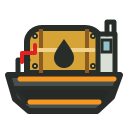

These Unranked transports cannot be found in mines. A factory manufactures them as protected outputs. Once activated, a damaged vehicle repairs after 1d 0h 0m parked in any city.
- Oil Tanker
- 100 Oil barrels only; 40 km/h at sea; 750 hull. Oil aboard uses no inventory space; unloaded barrels count again. Build for 40 Ore and 60,000 components.
- Hovertrain
- 200 loaded things at 200 km/h. Build for 75 Ore and 120,000 components.
- Rail rule
- Hovertrains travel only on open gateway rails between regional capitals. They cannot substitute local roads or hunt threats on them.
- Passenger tickets
- Council Hovertrains connect Cinderwake, Switchyard and Ashfall. Each leg costs 25 Gold and covers 5,250 km at the Hovertrain speed. Book at the Ticket office; the destination capital is discovered on arrival. Passenger tickets carry no Things or vehicles and award no expedition prizes.
- Repairs
- Damaged land vehicles and aircraft must remain parked for 1d 0h 0m. Ships separately regain one hull point per port hour. Repairs continue while you are offline.
Transport orders
Peaceful, Patrol, and Pillage
Each land or sea transport keeps a saved stance for every departure. Its order controls player-traffic targets and land-combat powers; separate PvP and PvE choices enable player attacks and route-creature encounters. Automatic targets remain within the transport's combat class; aircraft are always Peaceful.
- Peaceful
- Starts no combat against living player traffic. Pillagers and the restless dead may still attack it, while route creatures are encountered only when PvE is enabled. Fit defensive weapons to a Peaceful land vehicle to reduce an attacker’s base attack if combat starts. Optimise for cargo space and speed first: a faster defender eludes a lone aggressor, including a ghost, before battle. Armour or hull, Wood reinforcement, dodge, and armed crew are the fallback when escape fails. Loaded-travel specialisations, Oil, and travel gadgets improve the run.
- Patrol
- With PvP enabled, seeks Pillagers in the same combat class. Attacking a Pillage vehicle creates no Council offence, bounty or escalation and does not restart an existing cooldown, even if the pillager does not attack back. Optimise land patrols for defensive power, base attack, armour, dodge, and reinforcement. At sea, favour hull, speed, crew, a complete cannon battery, and a balanced ammunition supply. Guard and Bounty Hunter specialisations strengthen their matching patrol defence, while Shields reinforce defence globally.
- Pillage
- With PvP enabled, seeks Peaceful and Patrol traffic in the same combat class. An aggressive winner may take compatible cargo first, then Oil trips, or one eligible weapon, mod, or cannon. On land, a fitted Magnet powers down for the entire Pillage journey and reactivates under Peaceful or Patrol. Magnets are always inactive at sea. Ships can fish up wreckage with bait of the same rarity when a fishing opportunity falls near the wreck. Keep free capacity for stolen cargo and fittings. Prioritise speed so prey cannot elude you, then aggressive power, base attack, dodge, and survivability; ships also need cannons, ammunition, and strong crew weapons. Highwayman and Pirate specialisations, plus Sharpeners, strengthen matching pillage offence.
- PvP
- Enable PvP to initiate attacks on eligible player transports. Turn it off to stop initiating player attacks; other players can still attack you.
- PvE
- Enable PvE before departure to hunt eligible NPCs, ghosts and creatures along their routes. Peaceful vehicles can hunt hostile threats. Choose Patrol or Pillage to hunt a Peaceful opponent; two Peaceful sides pass without fighting. Hunting creates no Council offence or bounty and does not restart an existing cooldown. NPC wrecks do not summon more patrols. PvE-enabled ghost hunts are willing fights; switch PvE off to use speed to escape a slower hostile ghost instead.
- Who starts the fight
- Starting an encounter and using aggressive weapon power are different things. Your saved order normally chooses the weapon power you use. A Patrol uses defensive power even when it starts a fight. A Pillage vehicle keeps its aggressive power when a Patrol attacks it.
- Base attack
- Every land vehicle uses its base attack to hit the opponent, whether it fights aggressively or defensively. Defensive weapons can wear down that base attack during the fight. Some mods add base attack; a weapon’s aggressive power is a separate bonus.
- Aggressive power (offence)
- Pillage normally adds aggressive power to its base attack for each hit. The opponent’s Dodge reduces this extra power, down to zero if Dodge is high enough. A Patrol attacking your pillager does not turn off its aggressive weapons.
- Defensive power (defence)
- Peaceful and Patrol use defensive power to reduce the opponent’s base attack before each round’s hits. This reduction builds up over successive rounds, subject to the combat minimum. It does not reduce the opponent’s separate aggressive power. A Peaceful cargo carrier can therefore weaken a pillager and still hit back with its own base attack.
- Dodge
- Dodge reduces the opponent’s aggressive bonus and its ability to reduce your base attack. For example, 5 aggressive power against 5 Dodge adds no damage. Dodge does not directly reduce base attack, and it is not a random chance to miss.
- Example with no Dodge
- A pillager starts with 10 base attack and 6 aggressive power. A Peaceful defender has 3 defensive power. Before the first hit, the defender reduces the pillager’s base attack to 7, so the pillager hits for 7 + 6 = 13. Next round, base attack falls to 4 and the hit deals 4 + 6 = 10. The pillager keeps its aggressive bonus throughout. This example assumes no other combat effects.
- Two aggressive fighters
- If both sides fight aggressively, they take turns using aggressive power. The other side uses defensive power for that round. Both still use base attack. A weapon with both values can therefore help in both parts of this exchange.
- Loadout rule
- Only fitted weapons add land combat power; weapons carried as land cargo do not fight. Mods can add base attack, armour, aggressive power, defensive power, dodge, or capacity. Ship cannons fire regardless of order when combat begins: cannonballs attack hull, chain shot attacks speed, and grape shot attacks crew. Bolted and carried weapons arm a ship's crew for boarding. Use the Chandler to bolt weapons aboard so they stay with the ship at each port. Fitted ship cannons use cannon portals. Loaded ammunition, cargo and fitted weapons use capacity; check mod capacity changes in the preview.
Prepare for a particular encounter
Countermeasures and repairs
Countermeasures are cargo supplies you select for pursuit or combat. Road and naval items have different effects and eligible targets. Read the item description and choose supplies for the route and opponent.
- Load and select
- Load intact supplies as loose cargo and open Countermeasures on the vehicle. Select one pursuit supply and one combat supply; both begin Off. Each slot can activate at most once per eligible encounter. Boxed goods cannot activate. Prepare a vehicle
- Choose a source
- Rivetbridge’s Countermeasures mine supplies road items. Reedhaven’s Naval Countermeasures mine supplies ship items. Buy them from other miners or discover the town and inspect its rental mine. Compare the mining towns
- Wear
- Each activation can damage the item, even if its effect fails. Damage chances are 100%, 75%, 50%, 25%, 10%, 5% from Common through Legendary. Otherwise the supply remains reusable.
- Repair
- Unload a damaged supply and repair it at a factory before using it again. Read journey reports to see which supplies activated and what needs replacing. Inspect repair work
- Read the matchup
- Tyre traps need tyred opponents and mechanical disruptors need suitable machinery. Creature sightings describe their own natural countermeasures and finite reserves. Inspect what the opponent can use and what it has left before deciding to intercept.
Rare ethereal visitors
Lantern encounters

Lantern Boats haunt sea routes; Lantern Wisps haunt roads. You cannot fight them. When your vehicle passes one, the encounter ends in a draw and the apparition leaves a random curse in that vehicle’s inventory. Peaceful orders and PvE settings do not prevent a passing encounter.
- Curses aboard
- Curses take no cargo space, even in a full hold or an Oil tanker. They stay attached when you unload cargo, arrive or reload the game. You cannot unload, sell or store away a curse.
- Combat mishaps
- Each curse has a 10% chance during a relevant combat round to reduce one weapon blow, cannon hit or boarding effort by 15%, rounded down. At most one curse causes a mishap on each side in a round. A small setback can decide a close fight.
- One mishap
- A curse disappears as soon as it causes its first mishap. It stays aboard if it never triggers, or if the fight never reaches its relevant phase. Fight replays show the curse arriving and each recorded mishap.
- Ethereal draws
- A Lantern encounter uses no ammunition, deals no damage, changes no rating and awards no bounty. Each vehicle receives one curse per apparition per journey leg.
Coordinated departures
Convoy strategy
Use a convoy to move a larger shipment or coordinate a patrol before your freight. Choose matching idle transports in one city; Blackwake support ships can accompany one other ship type in the same combat class, load and equip each separately, then arrange their departures along a shared route.
- Preparation
- Save every member's stance and PvP/PvE choices before building the convoy. Each keeps its own recorded settings; choosing a Patrol leader does not make every member Patrol.
- Timing
- Earlier and Later set sending order. Named convoys keep a saved departure spacing of 3–60 minutes. An equipped Patrol member can go ahead of Peaceful cargo carriers.
- Limits
- Members still face individual encounters, with their own protection and speed. A convoy does not share armour or guarantee an escort. Cancellation releases queued members; those already travelling finish their journeys.
- Journeys
- Plan up to 8 legs. The convoy regroups at each stop, keeps its departure order and carries cargo to the final stop. Each leg keeps the saved 3–60 minute spacing. Use a shuttle for repeated deliveries and empty return trips.
Repeated cargo
Automatic shuttles
Use shuttles to automate regular supply runs, such as Ore to a factory city or Things to a market. An empty compatible transport loads at one end, unloads at the other, returns empty, and repeats until you cancel the contract. Every leg uses its saved order and PvP/PvE targeting choices.
- Selection
- Save the vehicle stance first, then choose cargo categories, including Oil and Ore. All categories begin selected; eligible stock loads rarest first.
- Packed transports
- Deactivate an empty, unfitted vehicle or ship to turn it back into a movable Thing. Tick All to pack every other ready copy of that exact transport in the same city. A compatible carrier or shuttle can take it to another city; activating it there still requires a valid route.
- Exclusions
- Protected factory output is never auto-loaded. Oil Field machine parts remain in their field city unless that city has no Oil Field.
- Interruptions
- Snow, closed routes, inventory overage, or missing eligible stock pause the next leg without losing delivered cargo.
High Council industry
Frostmere Oil Refinery
Frostmere in Ebeko has the world’s only Oil Refinery. Bring loose Oil Barrels there and open Oil Refinery from the city map.
- Queue Oil
- Pay 15 gold per barrel when you queue it. You can have up to 100 barrels in progress or waiting. Each barrel takes one hour, and your queue runs one barrel at a time. Oil and fees commit when queued; you cannot cancel a batch.
- Receive gold
- The refinery pays you 159 gold automatically for each completed barrel, even while you are elsewhere or offline. A full queue takes 100 hours. The fee leaves 144 gold per barrel before the cost of obtaining your Oil.
- Council stores
- The High Council owns all six by-products: Kerosene, Lubricating Oil, Naphtha, Paraffin Wax, Bitumen and Petroleum Coke. The refinery stores them in Frostmere. Open the High Council stores disclosure to see its accumulated stock.
Regional hazards
Ebeko and the Ice Trolls
Ebeko shares Dempo’s cold seasons, frequent storms, snow and sleet. Marauding Ice Trolls creep into its towns at night and damage stored Things.
- Night raids
- Each open Ebeko town faces a raid on roughly half of nights, between 20:00 and 05:00 on the world clock. Each raid damages 1–3 eligible Things per owner, even while you are away or offline.
- Stored Things
- Trolls target loose Things that have a damaged version, including stock you have listed for sale. Your sell listings shrink to match the undamaged stock left. Trolls leave already damaged Things, packed containers, fitted equipment, active transports and home displays alone.
- Repairs
- Check Messages for your raid report and links to the damaged Things. They stay in that town’s storage. Use a factory repair job to restore them; the factory shows its requirements before you start.
- Cold weather
- Check the current weather before setting off. Snow can delay departures, sleet can make road vehicles skid, and storms threaten ships. Ebeko has no volcanic eruptions.
World events
Living threats and restless dead
World threats are moving route actors, not instant encounters. They travel between cities, may endanger compatible traffic, and can be deliberately intercepted by a prepared miner.
- Council patrols
- Ore-built Council convoys respond to pillaging only in Warden-protected regions, roughly a quarter of the world. A route between regions requires protection at both ends. World events carries convoy sightings and reports of their equipment. Defeated patrol armaments crumble into ore dust; a recovered chassis can be repaired at a factory and put into private service.
- Sightings
- The World events board shows what witnesses currently know: location, direction, route type, and enough threat information to choose a compatible response.
- Hunting
- There is no hunt action on the World events board. Enable PvE on an operational transport of the matching combat class and route type, then send it from either endpoint along the threat's route. Hunter and creature move to a real interception point, creatures counterattack, and only the killer receives the bounty.
- Fighting creatures
- Sea creatures use organic cannons followed by a boarding fight on your deck. Cannonballs damage their body, chain shot slows them, and grape shot weakens their boarding force. Armed sailors can win the boarding fight and earn the normal loot. Land creatures use the normal attack, defence and dodge rules. Creatures have individual builds; inspect the sighting before choosing equipment.
- Risk and reward
- Ordinary yellow threats are generally forgiving; green and blue need some preparation, while red through orange demand increasingly capable builds. NPCs may be Normal, Elite or Elitest. Higher grades have stronger stats and fittings, but enough damage or a boarding victory can defeat them in one fight. A vehicle can carry one reinforcement, which absorbs its specified damage allowance and is then destroyed. Equipment and matchups still matter. Threat rarity sets its rewards.
- Aftermath
- Violence on a route can leave consequences behind. Watch World events and travel reports; the guide deliberately does not list every possible aftermath.
What the world contains
Things and mine categories
How to read this guide. Functional entries describe what each category is for. Mine entries provide a second view through every live mine category. Signed-in miners see examples and rarity tiers only after recording relevant Things through findings or ownership; damaged versions are folded into their intact counterparts.
Provenance. This is a guide to the live MineThings 2 rules, not a transcription of the old help pages. Its catalogue and systems descend from the game created by Japhet Stevens and are now restored and maintained by Serif. Category names are for people; the game keeps stable catalogue identities underneath them.
Aircraft
Field categoryVehicles made for air routes and specialist missions. Search planes, bombers, and helicopters each have a distinct job.
- Useful for
- Finding and attacking ore-thief bases, recovering stolen ore, and deploying, revealing, or bombing Oil Field positions.
- Recorded examples
- Sign in and encounter this category to record examples.
- Rarities recorded
- None yet
Aircraft bomb
Field categoryPayloads carried by bomber aircraft, with their destructive strength measured in buckets.
- Useful for
- Damaging an exposed ore-thief base so its stolen ore can be recovered.
- Recorded examples
- Sign in and encounter this category to record examples.
- Rarities recorded
- None yet
Aircraft mine
Field categoryThe Aircraft mine category contains Aircraft and Oil Field bomb and currently has 5 intact discoverable things.
- Useful for
- Finding Search Planes, Bombers, and Helicopters for ore-thief and Oil Field missions.
- Recorded examples
- Sign in and encounter this category to record examples.
- Rarities recorded
- None yet
Ammunition box
Field categoryA sealed bulk container holding 8 ammunition crates of one shot type.
- Useful for
- Stocking a ship with up to 96 cannon shots after the box is opened.
- Recorded examples
- Sign in and encounter this category to record examples.
- Rarities recorded
- None yet
Ammunition crate
Field categoryA crate of 12 cannonballs, chain shots, or grape shots.
- Useful for
- Loading a ship: cannonballs damage hull, chain shot damages speed, and grape shot attacks crew.
- Recorded examples
- Sign in and encounter this category to record examples.
- Rarities recorded
- None yet
Amphora
Field categoryA reusable clay vessel made at the Kilnstead kiln. It takes 100 clay and 24 hours to dry, fire and cool. Holds up to 50 of one Grog item, Oil or Brasswater in one inventory or cargo space.
- Useful for
- Fill amphora from local Things, transport or trade them, then empty them to recover the liquid and vessel. Filled amphora follow the rarity of their liquid; Oil uses Exceptional.
- Recorded examples
- Sign in and encounter this category to record examples.
- Rarities recorded
- None yet
Avatar element
Field categoryA wearable or visual layer used to assemble a miner avatar, including bodies, clothing, accessories, and backgrounds.
- Useful for
- Customising your public appearance. Equipped avatar things stop using inventory space; backgrounds also increase capacity.
- Recorded examples
- Sign in and encounter this category to record examples.
- Rarities recorded
- None yet
Avatars mine
Field categoryThe Avatars mine category contains Avatar element and Collectible and currently has 156 intact discoverable things.
- Useful for
- Finding appearance layers for miner profiles; equipped backgrounds also increase inventory capacity.
- Recorded examples
- Sign in and encounter this category to record examples.
- Rarities recorded
- None yet
Bait mine
Field categoryThe Bait mine category contains Collectible and currently has 6 intact discoverable things.
- Useful for
- Supplying travelling ships with matching-rarity Bait for fishing and nearby sea salvage. Fishing specialisations improve opportunities; other roles can fish too.
- Recorded examples
- Sign in and encounter this category to record examples.
- Rarities recorded
- None yet
Boneyard mine
Field categoryThe Boneyard mine category contains Land vehicle and Ship and currently has 6 intact discoverable things.
- Useful for
- Rent a Boneyard mine at Ossuary in Haven to uncover Bonefleet land and sea transports built from ancient animal remains. Repair damaged finds at a factory, then fit out your transports for cargo journeys and combat using the normal transport rules.
- Recorded examples
- Sign in and encounter this category to record examples.
- Rarities recorded
- None yet
Boxes
Field categoryA reusable wooden box made at a mill. It holds 20–70 copies of one Thing, depending on Wood tier, at the same or a lower rarity than the box. Exceptional (red) and higher boxes also hold unranked goods such as Oil, Ore and manufactured supplies.
- Useful for
- Packing from Things, moving or trading a full box as one item, then unpacking to recover the contents and the empty box.
- Recorded examples
- Sign in and encounter this category to record examples.
- Rarities recorded
- None yet
Brasswater mine
Field categoryThe Brasswater mine category contains Collectible and currently has no things in ordinary discovery circulation.
- Useful for
- Bring empty amphora to Lockmarket and rent a Brasswater mine. A standard miner fills one 50-unit amphora per day. Equipment improves the flow; the mine waits when no suitable local amphora remain. Brasswater and its filled vessels stay Unranked.
- Recorded examples
- Sign in and encounter this category to record examples.
- Rarities recorded
- None yet
Bugs mine
Field categoryThe Bugs mine category contains Collectible and currently has 30 intact discoverable things.
- Useful for
- Collecting, trading, and Meld-making with the game's many insects and other small creatures.
- Recorded examples
- Sign in and encounter this category to record examples.
- Rarities recorded
- None yet
Cannon
Field categoryA ship-mounted weapon with its own damage value and rate of fire.
- Useful for
- Attacking enemy ships during cannon combat. A cannon needs compatible ammunition loaded into the shared hold.
- Recorded examples
- Sign in and encounter this category to record examples.
- Rarities recorded
- None yet
Cannons mine
Field categoryThe Cannons mine category contains Ammunition box, Ammunition crate, Cannon and Collectible and currently has 25 intact discoverable things.
- Useful for
- Finding ship-mounted weapons with different damage and rates of fire.
- Recorded examples
- Sign in and encounter this category to record examples.
- Rarities recorded
- None yet
Clay mine
Field categoryThe Clay mine category contains Collectible and currently has 6 intact discoverable things.
- Useful for
- Mine clay in Kilnstead, then use 100 clay at its public kiln to make a reusable amphora over 24 hours. An amphora holds up to 50 of one Grog item, Oil or Brasswater.
- Recorded examples
- Sign in and encounter this category to record examples.
- Rarities recorded
- None yet
Collectible
Field categoryAny ordinary thing without a dedicated machine, equipment, vehicle, or activator rule.
- Useful for
- Completing meld recipes, supplying factories, trading between miners, or simply collecting. Some have no direct action until a recipe or buyer needs them.
- Recorded examples
- Sign in and encounter this category to record examples.
- Rarities recorded
- None yet
Countermeasures mine
Field categoryThe Countermeasures mine category contains Collectible and currently has 30 intact discoverable things.
- Useful for
- Load smoke, tyre traps, charges, decoys or slicks as road-vehicle cargo. Select one pursuit and one combat supply under Countermeasures. Each use risks damage: Common 100%, Uncommon 75%, Rare 50%, Exceptional 25%, Fabled 10%, Legendary 5%. Repair damaged supplies at a factory; intact supplies can be reused.
- Recorded examples
- Sign in and encounter this category to record examples.
- Rarities recorded
- None yet
Creature Trophies
Field categoryThe Creature Trophies collection groups trophies awarded after creature victories. Collect these Things through combat.
- Useful for
- Collect trophies from defeated living creatures, trade them and gather the five specified trophies in a Creature Trophy Meld recipe.
- Recorded examples
- Sign in and encounter this category to record examples.
- Rarities recorded
- None yet
Diamonds mine
Field categoryThe Diamonds mine category contains Collectible and currently has 30 intact discoverable things.
- Useful for
- Mine five diamond colours in Sootbank. Quality rises from Heavily Flawed to Flawless. Collect five stones for each of 20 Ring Melds and make them in a regional capital.
- Recorded examples
- Sign in and encounter this category to record examples.
- Rarities recorded
- None yet
Discontinued mine
Field categoryThe Discontinued mine category contains Collectible, Gadget, Land vehicle and Ship and currently has 7 intact discoverable things.
- Useful for
- Preserving retired things in the catalogue and player collections without returning them to ordinary mine production.
- Recorded examples
- Sign in and encounter this category to record examples.
- Rarities recorded
- None yet
Dwarf miner
Field categoryAn independent miner who works from the city where it is stored and finds things in a rarity range determined by its tier.
- Useful for
- Finding extra things without occupying a mine. Dwarves can also stow away on compatible land vehicles and ships.
- Recorded examples
- Sign in and encounter this category to record examples.
- Rarities recorded
- None yet
Dwarves mine
Field categoryThe Dwarves mine category contains Dwarf miner and currently has 6 intact discoverable things.
- Useful for
- Finding autonomous miners that discover things from their city and may stow away aboard compatible vehicles.
- Recorded examples
- Sign in and encounter this category to record examples.
- Rarities recorded
- None yet
Electronic Devices mine
Field categoryThe Electronic Devices mine category contains Collectible and Gadget and currently has 30 intact discoverable things.
- Useful for
- Finding Ebeko-only components for electronics Melds and permanent Tech robots assembled at a Tech factory in Frostmere.
- Recorded examples
- Sign in and encounter this category to record examples.
- Rarities recorded
- None yet
Equipment mine
Field categoryThe Equipment mine category contains Mining equipment and Vehicle modification and currently has 43 intact discoverable things.
- Useful for
- Finding mine-bot equipment that increases buckets per hour and shortens the wait for future discoveries.
- Recorded examples
- Sign in and encounter this category to record examples.
- Rarities recorded
- None yet
Explosive
Field categoryA consumable charge with a fixed bucket strength; detonation varies by the configured power range.
- Useful for
- Forcing an immediate burst of mining in a chosen mine instead of waiting for its normal production cycle.
- Recorded examples
- Sign in and encounter this category to record examples.
- Rarities recorded
- None yet
Explosives mine
Field categoryThe Explosives mine category contains Aircraft bomb and Explosive and currently has 6 intact discoverable things.
- Useful for
- Finding charges that can be detonated in a mine to force an immediate burst of discoveries.
- Recorded examples
- Sign in and encounter this category to record examples.
- Rarities recorded
- None yet
Fish mine
Field categoryThe Fish mine category contains Collectible and currently has 24 intact discoverable things.
- Useful for
- Holding the catches produced by Fisherman voyages for collection, trade, and recipes.
- Recorded examples
- Sign in and encounter this category to record examples.
- Rarities recorded
- None yet
Gadget
Field categoryA timed activator for one of the game’s utility gadgets. Its rarity determines how long the activation lasts.
- Useful for
- Unlocking reports, extra mine capacity, safer or faster travel, and other specialised controls. You and the item must be in the current region’s capital to activate it; the effect then applies globally.
- Recorded examples
- Sign in and encounter this category to record examples.
- Rarities recorded
- None yet
Gadgets mine
Field categoryThe Gadgets mine category contains Gadget and currently has 45 intact discoverable things.
- Useful for
- Finding activators for timed utility effects such as reports, capacity, safer travel, and specialised controls.
- Recorded examples
- Sign in and encounter this category to record examples.
- Rarities recorded
- None yet
Grog
Field categoryMineable beer, rum, whisky and other strong drink produced in Dwarrow Burrow across all six rarities.
- Useful for
- Drinking from local inventory for a stacking, rarity-scaled haze; high intoxication can produce visions. Grog is also traded and used in six Melds.
- Recorded examples
- Sign in and encounter this category to record examples.
- Rarities recorded
- None yet
Grog mine
Field categoryThe Grog mine category contains Grog and currently has 30 intact discoverable things.
- Useful for
- Mining Dwarrow Burrow beer, rum, whisky and reserve casks for six Grog Melds or immediate consumption. Drinking adds rarity-scaled haze; excess consumption may produce visions.
- Recorded examples
- Sign in and encounter this category to record examples.
- Rarities recorded
- None yet
Land vehicle
Field categoryA vehicle for land routes, with speed, cargo capacity, base attack, and armour statistics.
- Useful for
- Moving Things between connected cities and fighting on land. Every order uses base attack. Peaceful and Patrol use defensive power to weaken the enemy’s base attack; Pillage uses aggressive power to add damage, including when a Patrol attacks it.
- Recorded examples
- Sign in and encounter this category to record examples.
- Rarities recorded
- None yet
Machines mine
Field categoryThe Machines mine category contains Collectible and Oil Field machine and currently has 45 intact discoverable things.
- Useful for
- Finding parts deployed on the Oil Field for power, flow, packing, intelligence, attack, and defence.
- Recorded examples
- Sign in and encounter this category to record examples.
- Rarities recorded
- None yet
Miner robot
Field categoryA numbered robot model assigned to a mine in place of the basic mining bot.
- Useful for
- Giving each mined result a model-based chance to be a damaged thing, which can later be repaired in a factory.
- Recorded examples
- Sign in and encounter this category to record examples.
- Rarities recorded
- None yet
Mining equipment
Field categoryMine-bot equipment fitted into slots such as belts, boots, pickaxes, drills, carts, hardhats, and lights.
- Useful for
- Adding buckets per hour to a mine so that its next result arrives sooner.
- Recorded examples
- Sign in and encounter this category to record examples.
- Rarities recorded
- None yet
Mods mine
Field categoryThe Mods mine category contains Vehicle modification and currently has 72 intact discoverable things.
- Useful for
- Finding vehicle modifications that alter cargo capacity and combat statistics.
- Recorded examples
- Sign in and encounter this category to record examples.
- Rarities recorded
- None yet
Music mine
Field categoryThe Music mine category contains Collectible and currently has 30 intact discoverable things.
- Useful for
- Collecting and trading musical things and using them in music-family Melds.
- Recorded examples
- Sign in and encounter this category to record examples.
- Rarities recorded
- None yet
Naval Countermeasures mine
Field categoryThe Naval Countermeasures mine category contains Collectible and currently has 30 intact discoverable things.
- Useful for
- Load smoke floats, fouling lines, cannon disruptors, decoy buoys or boarding foam as ship cargo. Select one pursuit and one combat supply under Countermeasures. Each use risks damage: Common 100%, Uncommon 75%, Rare 50%, Exceptional 25%, Fabled 10%, Legendary 5%. Repair damaged supplies at a factory; intact supplies can be reused.
- Recorded examples
- Sign in and encounter this category to record examples.
- Rarities recorded
- None yet
Oil Field bomb
Field categoryA specialised machine part whose Oil Field behaviour is an attack rather than extraction or transport.
- Useful for
- Bombing occupied Oil Field hexes and disrupting another miner’s deployed network.
- Recorded examples
- Sign in and encounter this category to record examples.
- Rarities recorded
- None yet
Oil Field machine
Field categoryA deployable Oil Field part with live power, flow, packing, intelligence, or defensive behaviour.
- Useful for
- Building a connected field network that exposes oil, moves it through pipes, packs barrels, and protects the operation.
- Recorded examples
- Sign in and encounter this category to record examples.
- Rarities recorded
- None yet
Ore mine
Field categoryThe Ore mine category contains Collectible and currently has 1 intact discoverable things.
- Useful for
- Supplying the raw material used by factories; Ore can also be refined from recycled scraps and won from threats.
- Recorded examples
- Sign in and encounter this category to record examples.
- Rarities recorded
- None yet
Rebel Grog mine
Field categoryThe Rebel Grog mine category contains Grog and currently has 12 intact discoverable things.
- Useful for
- Rent a Rebel Grog mine to find twelve drinks unique to Fusebreak, from Shiftbell Small Beer to High Council’s Regret. Trade them, store them in amphoras or drink them using the normal Grog rules. Drinking adds rarity-scaled haze; excess consumption may produce visions.
- Recorded examples
- Sign in and encounter this category to record examples.
- Rarities recorded
- None yet
Relics mine
Field categoryThe Relics mine category contains Collectible and currently has 30 intact discoverable things.
- Useful for
- Disturbing Fogo-only remains of a lost civilisation for six ominous Melds. Reports of a curse remain unverified.
- Recorded examples
- Sign in and encounter this category to record examples.
- Rarities recorded
- None yet
Robots mine
Field categoryThe Robots mine category contains Miner robot and currently has 28 intact discoverable things.
- Useful for
- Finding mining robots whose model controls the chance that a mine discovers damaged things.
- Recorded examples
- Sign in and encounter this category to record examples.
- Rarities recorded
- None yet
Scrapyard mine
Field categoryThe Scrapyard Mine is rented at Anchorage in Hekla. Finds only damaged Things from many ordinary mines, including equipment, vehicles, ships, weapons, cannons, gadgets and mods. Repair your finds at a factory or trade them as damaged goods.
- Useful for
- Recovering damaged goods to repair, collect or supply to Switchyard. Normal rarity odds apply; special salvage creatures and exclusive NPC equipment are not found here.
- Recorded examples
- Sign in and encounter this category to record examples.
- Rarities recorded
- None yet
Ship
Field categoryA vehicle for sea routes, with speed, cargo capacity, cannon portals, hull, and crew.
- Useful for
- Moving cargo by sea, fishing and salvage opportunities, and naval combat using cannons, ammunition, and boarding strength.
- Recorded examples
- Sign in and encounter this category to record examples.
- Rarities recorded
- None yet
Ships mine
Field categoryThe Ships mine category contains Collectible and Ship and currently has 30 intact discoverable things.
- Useful for
- Finding sea transports for cargo routes, fishing, salvage, and cannon combat.
- Recorded examples
- Sign in and encounter this category to record examples.
- Rarities recorded
- None yet
Shrooms mine
Field categoryThe Shrooms mine category contains Collectible and currently has 30 intact discoverable things.
- Useful for
- Finding Bromo-only fungi for collection, trade, and the six Shroom Melds.
- Recorded examples
- Sign in and encounter this category to record examples.
- Rarities recorded
- None yet
Spectral Trophies
Field categoryThe Spectral Trophies collection groups trophies awarded after creature victories. Collect these Things through combat.
- Useful for
- Collect spectral trophies from defeated creature ghosts and wraiths, trade them and gather the five specified spectral trophies in a Spectral Trophy Meld recipe.
- Recorded examples
- Sign in and encounter this category to record examples.
- Rarities recorded
- None yet
Spices mine
Field categoryThe Spices mine category contains Collectible and currently has 36 intact discoverable things.
- Useful for
- Collecting and trading spices and combining them in their associated Meld recipes.
- Recorded examples
- Sign in and encounter this category to record examples.
- Rarities recorded
- None yet
Starter mine
Field categoryThe Starter mine category contains Collectible and Land vehicle and currently has 50 intact discoverable things.
- Useful for
- Supplying an early collection of ordinary things while a new miner learns finding, storage, markets, and Melds.
- Recorded examples
- Sign in and encounter this category to record examples.
- Rarities recorded
- None yet
Tutorial mine
Field categoryThe Tutorial mine category contains Collectible and currently has 3 intact discoverable things.
- Useful for
- Preserving things used by the original introductory sequence; this is a legacy system category rather than a normal mine purchase.
- Recorded examples
- Sign in and encounter this category to record examples.
- Rarities recorded
- None yet
Unreleased mine
Field categoryThe Unreleased mine category contains Amphora and Boxes and currently has no things in ordinary discovery circulation.
- Useful for
- Holding designed but unavailable things outside normal production until the game explicitly introduces them.
- Recorded examples
- Sign in and encounter this category to record examples.
- Rarities recorded
- None yet
Vehicle modification
Field categoryA fitted vehicle part that changes one or more capacity, base attack, armour, aggressive power, defensive power, or dodge statistics.
- Useful for
- Tuning a land vehicle, ship, or aircraft for hauling, speed, survival, or combat before it leaves a city.
- Recorded examples
- Sign in and encounter this category to record examples.
- Rarities recorded
- None yet
Vehicles mine
Field categoryThe Vehicles mine category contains Land vehicle and currently has 30 intact discoverable things.
- Useful for
- Finding land transports for moving cargo, opening routes, and taking part in road combat.
- Recorded examples
- Sign in and encounter this category to record examples.
- Rarities recorded
- None yet
Weapon
Field categoryAn armament fitted for land combat or carried aboard a ship to arm its crew for boarding.
- Useful for
- Fit weapons onto a land vehicle to add their aggressive and defensive values. Land weapon cargo adds no combat power. Peaceful and Patrol normally use defensive power; Pillage normally uses aggressive power. On ships, bolted and carried weapons arm the crew for boarding. Bolt weapons aboard at a Chandler to keep them through port arrivals.
- Recorded examples
- Sign in and encounter this category to record examples.
- Rarities recorded
- None yet
Weapons mine
Field categoryThe Weapons mine category contains Weapon and currently has 30 intact discoverable things.
- Useful for
- Finding weapons to fit onto land vehicles or carry aboard ships for boarding. Peaceful and Patrol land vehicles use defensive power; Pillage uses aggressive power, even when a Patrol starts the fight.
- Recorded examples
- Sign in and encounter this category to record examples.
- Rarities recorded
- None yet
Wisdom mine
Field categoryThe Wisdom mine category contains Collectible and currently has 30 intact discoverable things.
- Useful for
- Finding Dempo-only tactical haiku, from practical mining advice to outrageous strategies, for six Wisdom Melds.
- Recorded examples
- Sign in and encounter this category to record examples.
- Rarities recorded
- None yet
Wood mine
Field categoryThe Wood mine category contains Collectible and currently has 26 intact discoverable things.
- Useful for
- Finding timber and Wood Screws for construction Melds, reusable boxes and mill reinforcement for land vehicles and ships.
- Recorded examples
- Sign in and encounter this category to record examples.
- Rarities recorded
- None yet